Showing posts with label alexa. Show all posts

Monday, November 20, 2017

URLs on all 'top million sites' lists

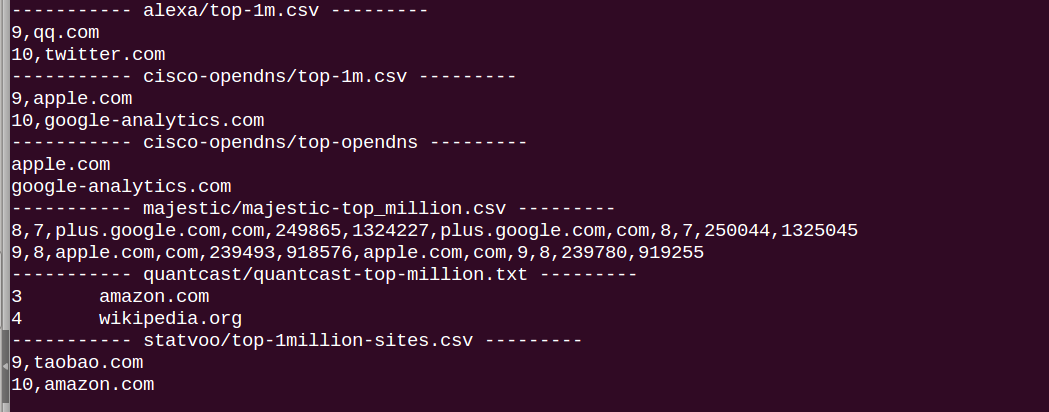
Alexa 1 million, Statvoo 1 million, OpenDns 1 million, Majestic 1 million, quantcast 1 million:
All "top million websites" have slightly different formats, but all have many domains by amount of traffic - just how they are selected varies.
Filtered for a list of unique urls, then added http://www at the beginning, checked if this gives a 200 OK.


Starting with over 4 million urls, only  34,000 are on all lists (when checked as above):


Here's the list for download, no warranty, promises, absolutely at your own risk. Re-running this might yield different results to changes in the original list, timeouts, etc.

I'll use this list for a while to run a bunch more queries.

Here's the list for download.

Tuesday, June 27, 2017

Too many, too long, too slow

As mentioned in the earlier posts - there are 5 different 'top 1 million websites' lists available for free.

The immediate question popping up right away: which one is best? Or how do they differ, and which list can I use to run my tests?

First, sure, clean up the data, pull out the url (don't need the other elements for this. ) Pretty easy with cut, then into full lists, and split of the top urls with a head -1000 or such.
 

So I started to compare with some awk script, looping one list over the next, and it's taking for hours. Well, I started with 1000 urls each, worked fine, 10,000 urls, takes a while, but then with one million ... not so much. It's 1,000,000 times comparing to 1,000,000 lines. Some of that can be optimized inside of the script (continue on a match), but the remainders are still large.

So - finally set up an ubuntu server at home. Just an old Dell work laptop - 4 years old, still running like a charm with ubuntu.

Setting up ssh server was pretty easy too - all behind my router, I don't really need outside - in access, as the crawls will run many hours or days. Still using key authentication - it's actually easier for later logons, and much more secure. (Many thanks to digitalocean and stackoverflow for all the info to help me through this.)


Up and running!


Tuesday, September 20, 2016

How common is Cloaking? (Showing different content to search crawlers than to users)

Google often points out that sites should not show significantly different content for users and search crawlers. Penalties threatened. It might negatively impact ranking accuracy, and Google also needs to see differences in files to update their index (not mentioned by Google, but likely).

An easy way to see if cloaking happens is to compare variations of a page downloaded with different user agents (curl, googlebot, firefox, ....) and then compre the md5 hashs of the versions. If a site sends different data only to crawlers (and not based on other user agents, IE or FF for example) this indicates that the site might be cloaking.

How do some categories of sites fare in this?


  1. Spamlist 2 (as explained previously) is basically a list of 2336 blogs on different large scale blog platforms like blogger, tumblr, wordpress, blogspot that have many attributes that might be indicators for spam.
  2. The earlier spam list has similar results (spam based on industry and competitor related inbound links).
  3. The Alexa* lists use the top 1000 urls, middle 1000 urls and last 1000 urls of the Alexa top 1 million list.


The results sorted by percentage of 'cloaking':


And the table of results, again sorted by 'cloaking' percentage (other combinations make the difference to 100%):


Discussion

It seems one group of spammers differentiates a lot by agent - they still don't have a lot of settings where only bots see different content. Quite interesting, too, that one spam group and the top alexa sites are more likely to cloak than other sites. (Again - this is only considering one factor on how the homepage is displayed with all the resulting vagueness.)

How to replicate

First - this is severely limited, as it only analyses the homepage, and only the core page, not elements that are loaded with the page (images, scripts, etc.).

First generate list of spam-like urls / domains. All lists are checked for 200 status with several options: the url as is, then as https, then with www, then www with https plus one test that tries to work around crawler detection. The resulting lists of unique 200 OK urls are used in the next steps.

Download the homepage (just the html part) with different user agents (googlebot,bingbot,FF,IE,Chrome, and whatever else pleases your heart). For each download build the md5 has of the file, store in a table.
With awk we can compare quickly if a hash is the same or different by user agent, which then just needs to be summarized.

Thursday, March 5, 2015

Who has H1?

Do we need an H1 on our homepage?

Sometimes it is necessary to convince pdms, devs, stakeholders that SEO efforts are necessary. One way to support this is to quickly  run a test on competitors and / or on ... top pages on the web. (Yes, after all the other pro's have been given.) Especially since we're running one of the top pages ourselves, that list contains powerful names.(and the first url is in my tests.. because I know what's happening there, not because of being in the top 1million.. yet ;-) )

So, H1 or not?

Out of the top 1000 pages, about
Here is a screenshot of the top pages that have an H1 on their homepage.


This is the script, running over the top 1000 urls from alexa 1 million.  Very easy to adjust for other page elements.


#!bash
echo -e "url\t has H1 " > 2top1kH1.txt
while read -r line; do
echo $line
h1yes=""
h1yes=$(wget -qO- -w 3 -t 3 "$line" | grep "<h1" | wc -l)
if [ "$h1yes" -gt 0 ]; then
echo -e "$line\t yes" >> 2top1kH1.txt
fi
done < $1


Not large, not complicated, but very convincing.
Bookmark and Share